Start at ten
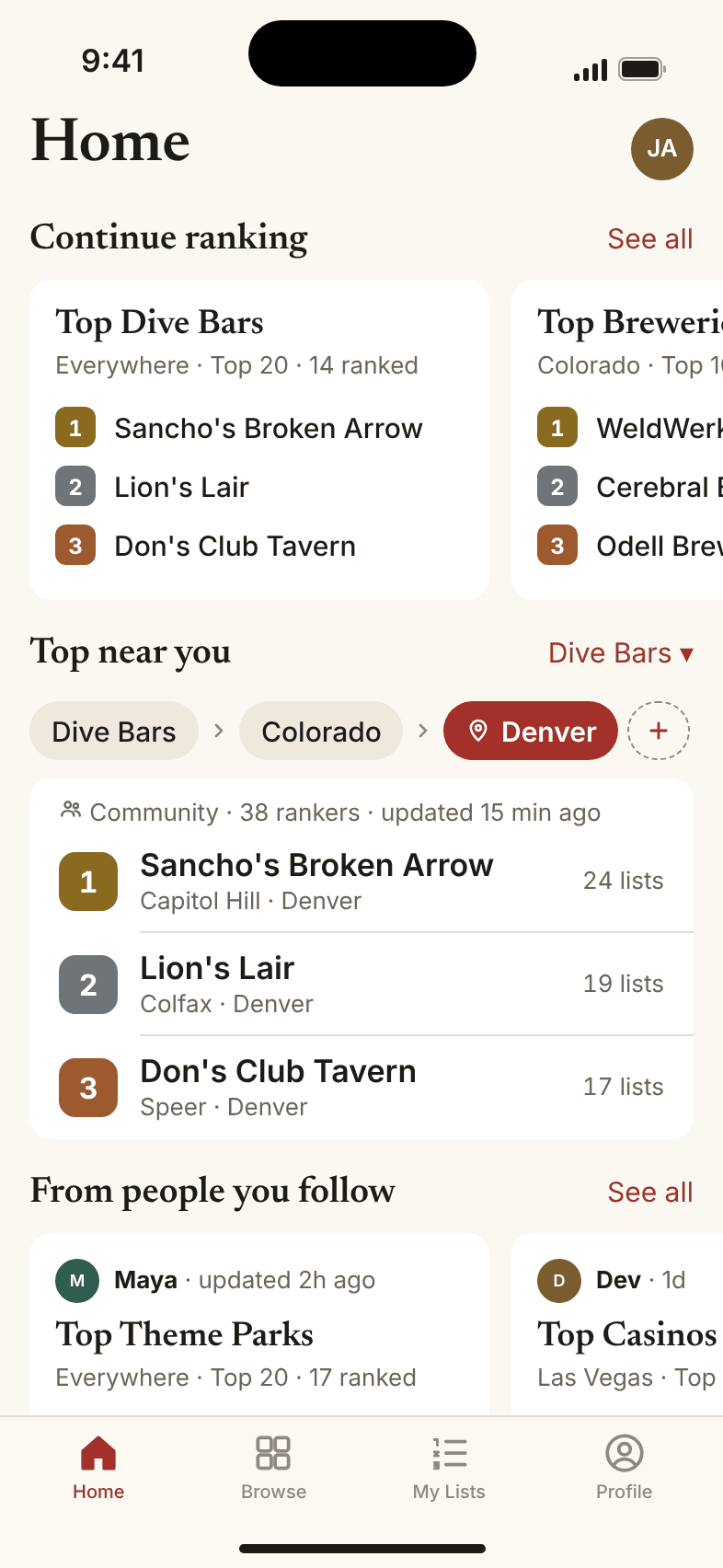
Choose a place category. Dive bars, pizza, coffee, bookstores. The list begins as a Top 10, with room to fill.
Coming soon on iOS
Start with the places you love.
A personal list, in your order. It opens as a Top 10 and grows to 20, 50, and 100. Drag to rank. Narrow dive bars to a city. When enough people have ranked that same scope, the community list appears.
iOS first. A web app comes later. No account required to read this page.
01 — Ranking
One list per category. You put places in order yourself. The tier is just how long the list has grown.
Choose a place category. Dive bars, pizza, coffee, bookstores. The list begins as a Top 10, with room to fill.
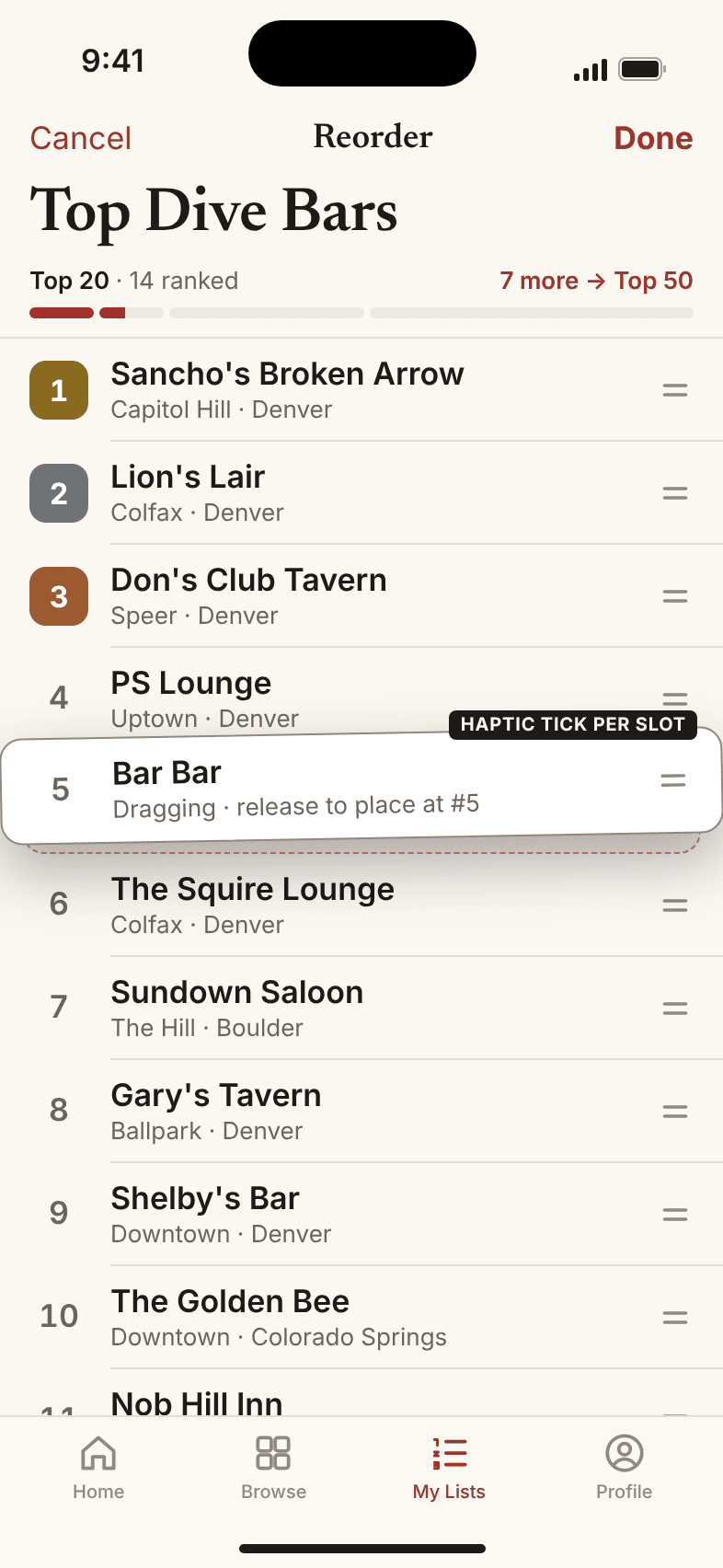
Hold a row and move it. Each slot you cross gets a tick. The first three wear a medal. From four on, the number is the whole signal.
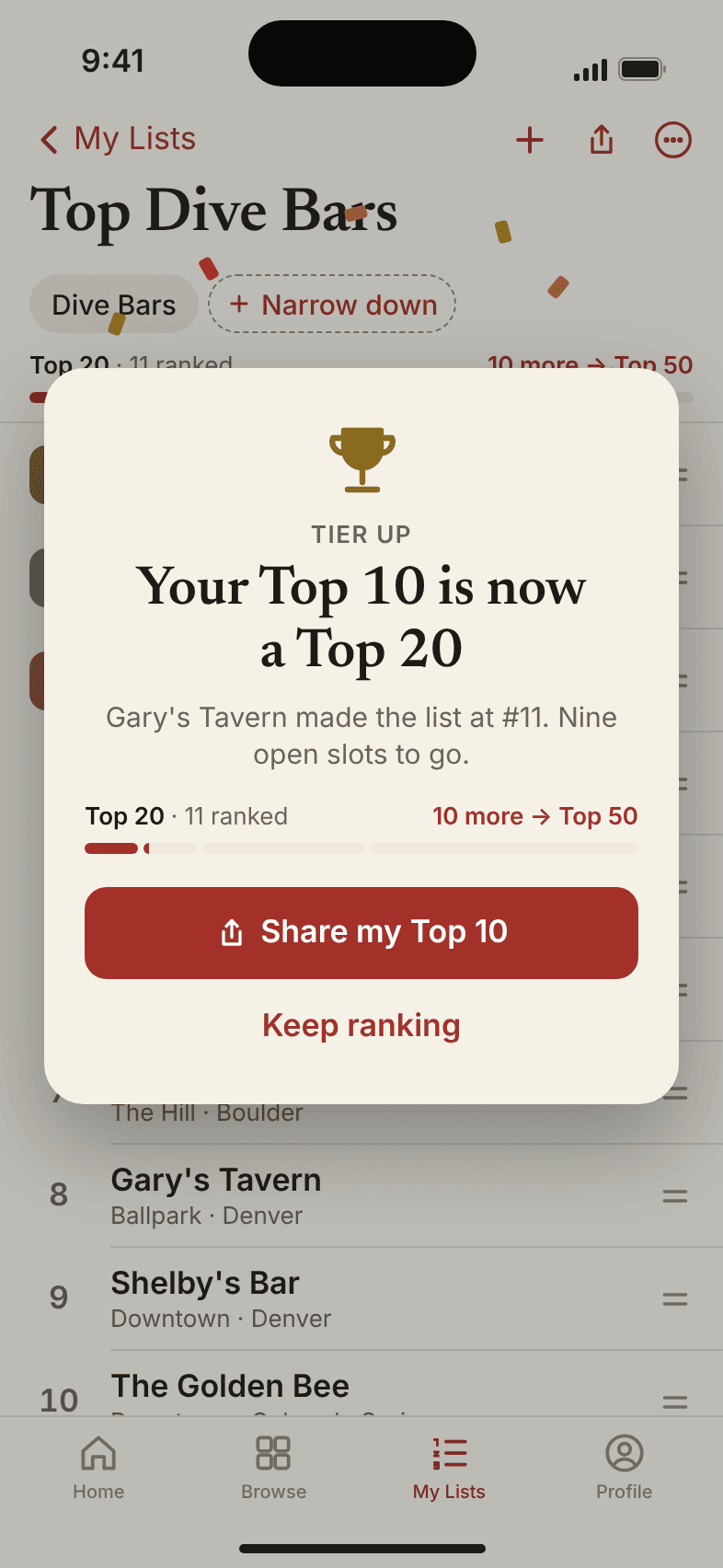
The eleventh place opens a Top 20. Then 50, then 100. Crossing a tier is a small ceremony, and a prompt to share the list you just outgrew.
02 — Place
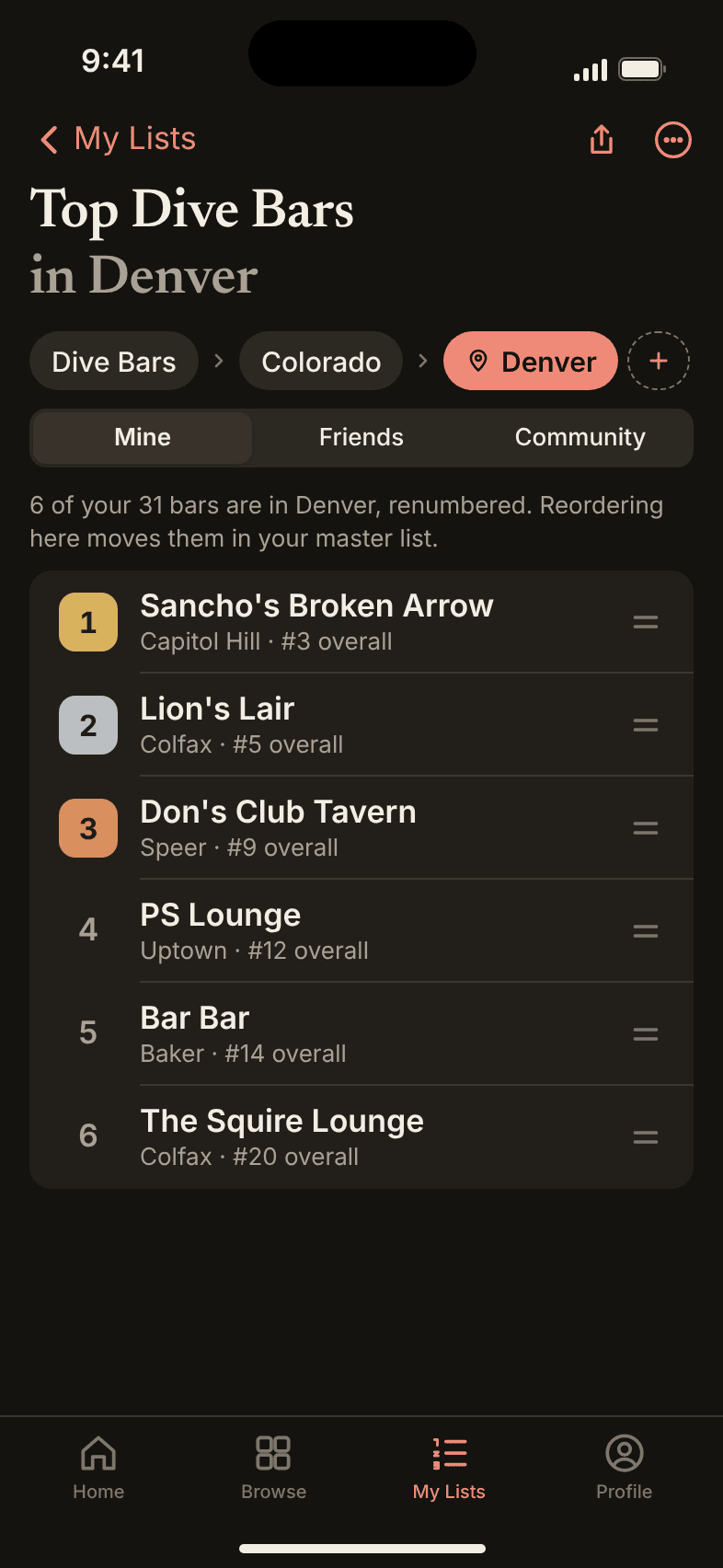
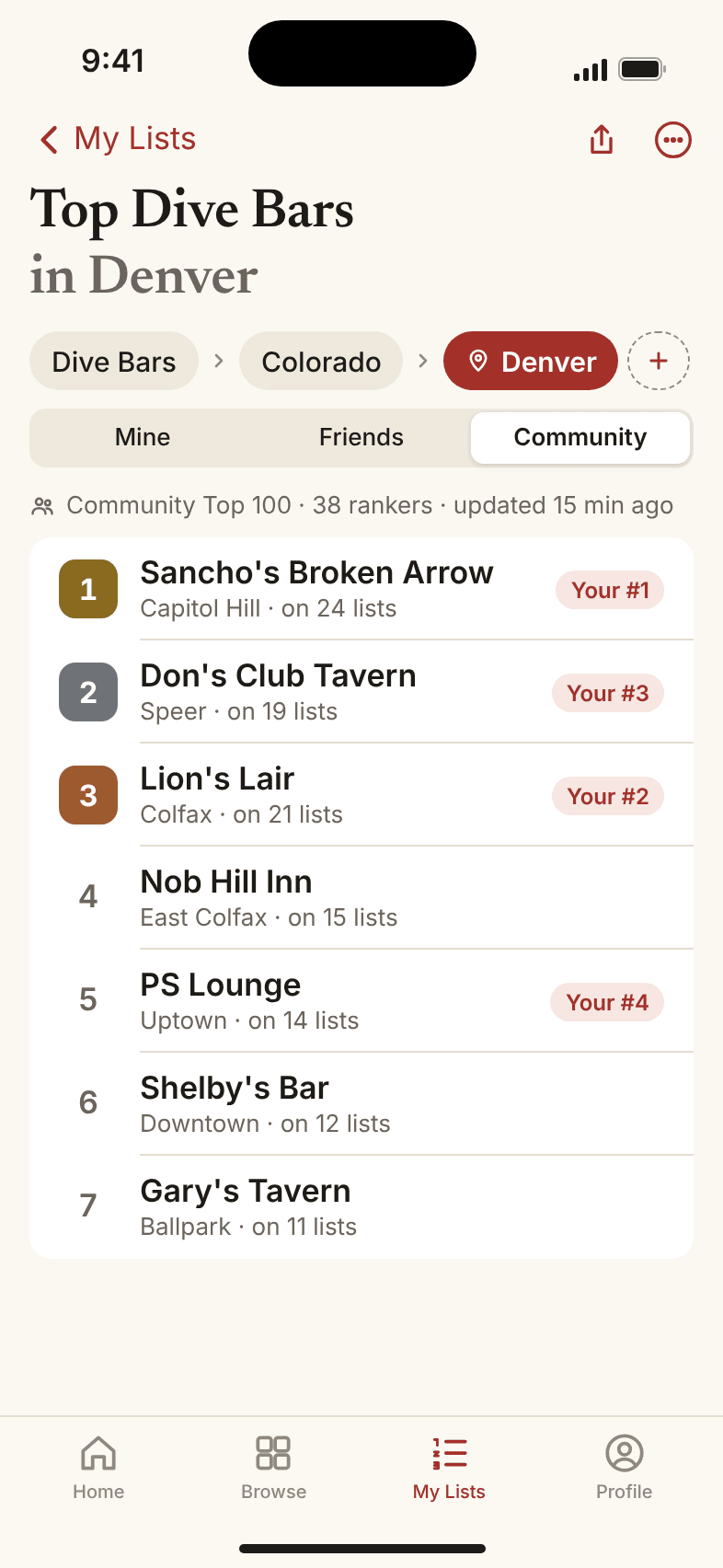
The master list is the whole category. Drill down when you want a smaller map: Top Dive Bars, then Colorado, then Denver. The bars in that city keep your order and show where they sit overall. Reordering here moves them in the master list.
03 — Together
Your ranking stays yours until other people have ranked the same scope. A city opens sooner than a whole country. When it does, you get the community order for that place.
On someone else's list, a hint shows where you put the same place: You #2. It is a hint, not a full comparison. Friends show up once you follow a couple of people. Home also keeps a shelf of lists from people you follow.
04 — Share
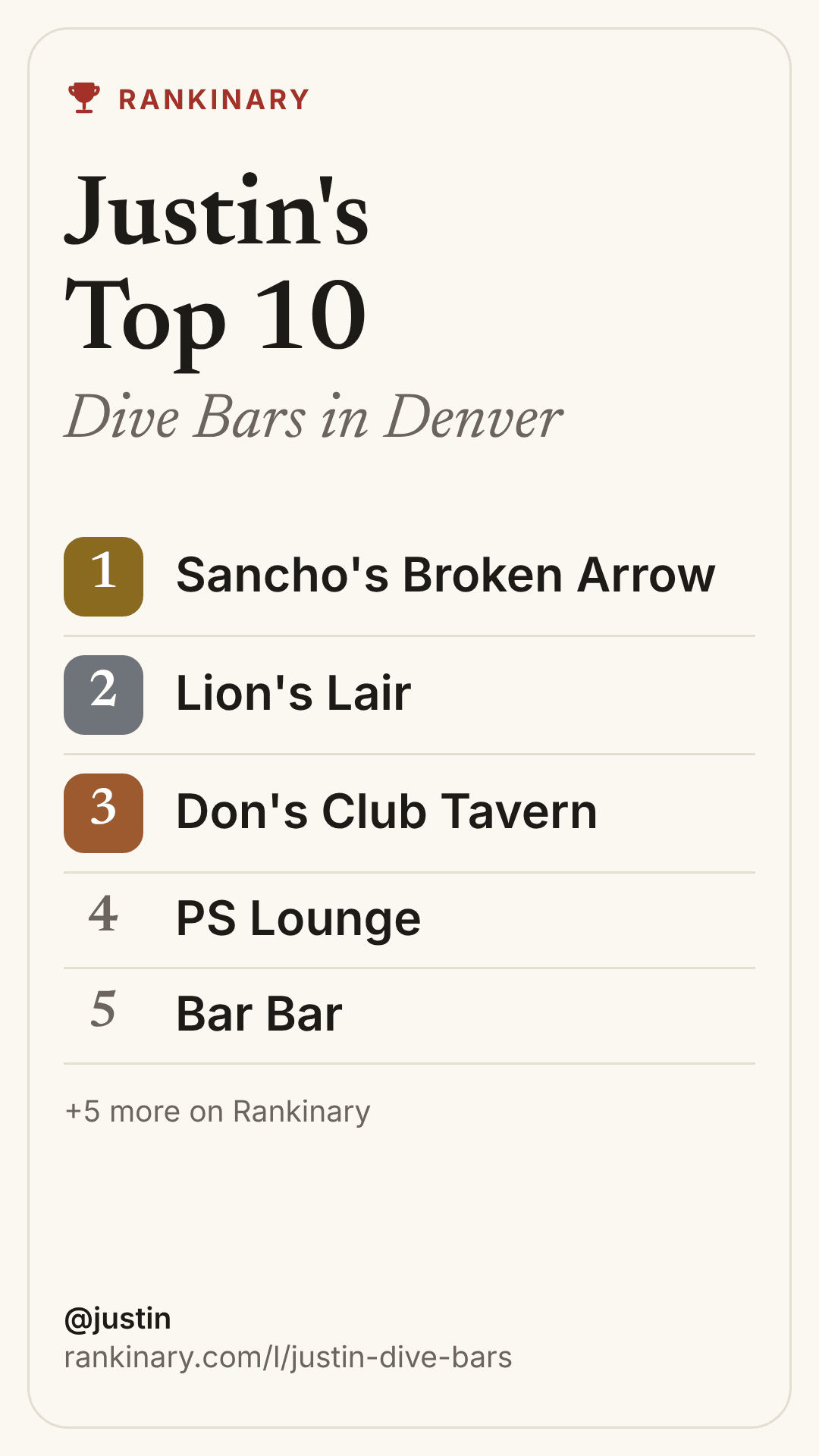
Every tier-up offers a share. Story is the tall card. Square sits in a grid. Both are paper by default: your name, the list, the top of the order, and a link back to Rankinary.
Story
Square
The list
Leave an email. We write once, when the app is ready to install. This page does not run ads or third-party trackers.